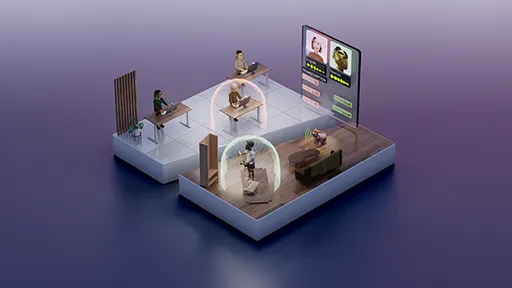
NVIDIA Augmented Reality SDK collection


NVIDIA Augmented Reality SDK
The NVIDIA Augmented Reality SDK (AR SDK) is a comprehensive collection of AI-powered features for real-time modeling and tracking of human faces and bodies from video.
This collection serves as the central hub for all AR SDK components.
Overview
The AR SDK enables developers to build state-of-the-art video processing applications with AI-powered features, such as body pose estimation, face detection, landmark tracking, gaze redirection, and facial expression estimation. The SDK is powered by NVIDIA graphics processing units (GPUs) with Tensor Cores, supporting high throughput and low latency processing.
The AR SDK supports x86-64 Windows and Linux operating systems. Support for Windows on Arm is coming in October 2026.
Getting Started
The AR SDK comprises the SDK Core and a set of optional features that can be downloaded and installed individually. The SDK Core and features are distributed through the NVIDIA GPU Cloud (NGC) platform.
The SDK Core includes the API headers, library files, and runtime dependencies. It does not include the libraries and models that are required to run any of the features. After installation, the SDK Core provides a script to fetch and install features from NGC.
Make sure you are logged in to your NGC account. If you do not have an account, you can create one at the NGC Sign In Page.
Download the Augmented Reality SDK Core
To download the SDK Core package:
- Navigate to the Augmented Reality SDK Core Resource
- Choose the appropriate version for your platform, either
<version>_windowsor<version>_linux - Click Download to download the package
Install the Augmented Reality SDK Core and Features
To install the SDK Core and features, navigate to the AR SDK Documentation and follow the installation instructions for Windows or Linux.
Available Features
Browse individual feature collections by searching for "nvar" within collections. Each feature collection contains:
- Feature libraries and models (where applicable)
- Technical specifications
Sample Applications
Sample applications demonstrating all NVIDIA Augmented Reality SDK features are available on the NVIDIA AR SDK Sample Apps GitHub repository. Clone the repository and follow the build instructions to compile and run the samples.
Get Help
Documentation
- User Guide: AR SDK Documentation
- Developer Resources: NVIDIA AI for Media Developer Page
Enterprise Support
For NVIDIA AI Enterprise customers:
- Access the NVIDIA AI Enterprise Support Portal
- Visit the NVIDIA AI Enterprise Documentation Hub
License
Use of the NVIDIA Augmented Reality SDK is governed by the terms of the NVIDIA SOFTWARE LICENSE AGREEMENT and Product-Specific Terms for NVIDIA AI Products. Use of any associated AI models is governed by the NVIDIA Community Model License or NVIDIA Open Model License as defined by each individual model.
Available NIM Containers
Several AR SDK features are available as ready-to-deploy NIM containers:
- Dynamically redirects user's eye position towards the camera
- Enhances remote digital engagement with natural eye contact
docker pull nvcr.io/nim/nvidia/maxine-eye-contact:latest
- Provides high-quality lip synchronization for video content
- Ensures natural-looking mouth movements matching audio
docker pull nvcr.io/nim/nvidia/lipsync:latest
For detailed deployment instructions, visit the respective NIM container pages.