
Toolkit for building native Omniverse applications and microservices.


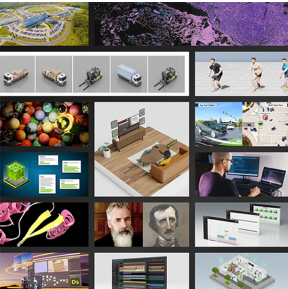
Kit SDK
This package contains the Kit Kernel and the Kit Base Editor sample application with all necessary extensions pre-cached and ready to run!
The Kit Base Editor is a great way to get familiar with OpenUSD, and to experience the capabilities of the RTX Rendering.
To launch the Kit Base Editor, run the following batch script:
- Windows:
omni.app.editor.base.bat - Linux:
omni.app.editor.base.sh
Use the Extension Manager (Window -> Extensions) to explore all the extensions available for Kit applications.
Build Your Own Kit Application
Kit App Template
To get started building your own applications and extensions using the Omniverse Kit SDK, the Omniverse Kit App Template is included along with a tool to setup a new project from scratch.
⚠️ IMPORTANT - Recent Tooling Changes:
The Kit App Template tooling has been updated with significant changes for 109.0.1:
- Tooling has been upstreamed to
repo_kit_tools- Containerization: Use
repo package_containerinstead ofrepo package --container- Container naming:
--nameflag updated to--image-tag(supports--image-tag [name:tag])- Container files are now auto-generated during containerization
See the Kit App Template Tooling Guide for complete details.
Usage
- Open a terminal to where Kit SDK has been extracted.
- Create a new project from the Kit App Template:
- Windows:
.\new_project.bat - Linux:
./new_project.sh
- Windows:
NOTE: If this is your first time running
new_project, you'll be prompted to accept the Omniverse Licensing Terms.
-
Choose a folder to create a new Kit project.
-
Navigate to your newly created project folder and run the following commands:
repo template new- Create new application and extensions from Kit templates.repo build- Build your application and extensions.repo launch- Launch your application.repo --help- List all available repo commands and options.
NOTE : Repo tools are shell scripts: Use
.\repo.baton Windows and./repo.shon Linux. Learn more about Repo Tools here.
Running new_project is roughly equivelant to cloning Omniverse Kit App Template github repo. The benefit is that this new project will have no link to Kit App Template repo on GitHub.
NOTE : The newly created project will link to the local Kit SDK folder as a dependency using
kit-sdk.packman.xml.userin the./tools/depsfolder. Kit App Template from Github, by comparison, will downloadkit-kernelas a dependency and link to that resource instead. Read more in the Kit Manual.
Get Help
Access Omniverse Knowledge Base articles and submit support cases with Enterprise Support Services.
Explore detailed guides for deploying and managing NVIDIA Omniverse applications at NVIDIA Omniverse Docs Hub.
Manage your software licenses at the NVIDIA Licensing Portal.
Join the developer and user community to share knowledge, ask questions, and connect with experts:
Governing Terms
NVIDIA Omniverse is governed by the NVIDIA Agreements | Enterprise Software | NVIDIA Software License Agreement and NVIDIA Agreements | Enterprise Software | Product Specific Terms for Omniverse.
By downloading or using NVIDIA Omniverse, you agree to the NVIDIA Omniverse terms.