
NVIDIA Omniverse Farm™ Standalone allows users to orchestrate multiple computing resources to execute batch and interactive tasks.

NVIDIA Omniverse Farm™ Standalone
Overview
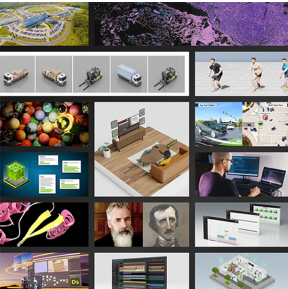
NVIDIA Omniverse Farm™ Standalone allows users to orchestrate multiple computing resources to execute batch and interactive tasks. It is both infrastructure agnostic - meaning it can work across typical workstations, VMs, or bare-metal servers - and task agnostic, able to orchestrate and distribute tasks from rendering, streaming, file conversion, synthetic data generation, to simulation.
Farm Standalone is suitable for use cases ranging from a single system to a small distributed farm. This is a straightforward choice for deployments with limited scaling needs. In larger installations, services can be configured to run individually with scalable back-end solutions.
For enterprise-scale deployments, we would recommend deploying NVIDIA’s Omniverse Farm on Kubernetes, which offers a robust and highly scalable alternative.
Farm is designed from the ground up to embrace the microservice architecture for flexibility and scalability.
Getting Started
Omniverse Farm Standalone is offered as an NGC resource providing Windows and Linux Python packages to stand up an instance of Farm on top of workstations, VMs, or bare-metal servers.
Follow the full Farm Standalone installation steps here.
Setup and Configuration Overview
For each system that will be used to manage the queue or execute tasks:
- Download and Install:
- Download the latest version of Farm Standalone
- Unzip the OS specific Python package
- Install using Python Pip
- Configure the Environment:
- Create configuration files, specific to your deployment, for all queue and worker-nodes (agents).
How to Use Omniverse Farm
Every Farm deployment must have one instance of the Farm Queue services running while each system available to execute tasks must have the Farm Agent services running. Multi-system deployments require configuration to inform the services how to communicate with each other.
-
Single-system Usage:
Run Farm Standalone on a single-system:farm -
Multi-system Usage:
Refer to the Farm Standalone Guide for configuration and workflows.
Documentation
Additional detailed documentation is available on the Omniverse Farm Home.
Community Support
Join the developer and user community to share knowledge, ask questions, and connect with experts:
Governing Terms
NVIDIA Omniverse is governed by the NVIDIA Agreements | Enterprise Software | NVIDIA Software License Agreement and NVIDIA Agreements | Enterprise Software | Product Specific Terms for Omniverse.
By downloading or using NVIDIA Omniverse, you agree to the NVIDIA Omniverse terms.